Latest Release: August 2025
Highlights
1) Inbox is here! View and manage all replies from one place
This powerful new feature brings all replies into one organized view—helping you stay responsive, efficient, and more connected to your supporters at scale .
“Text me your postal address. I will send a check.”
“Are donations still being matched?”
“I tried to register but I’m unable to.”
These are just some of the hidden requests you now have easier visibility into. With Inbox you can now:
- View all replies in one place
-
Respond quickly via SMS
- View subscriber information for important context
- Filter, sort, and search to quickly find specific supporters or groups
-
Mark conversations as Resolved or Unresolved for later follow-up
- Get in-app notifications of messaging needing attention
-
Manage opt-outs with just a click!
Start using Inbox to ensure you never miss a key engagement opportunity!

Inbox Tour
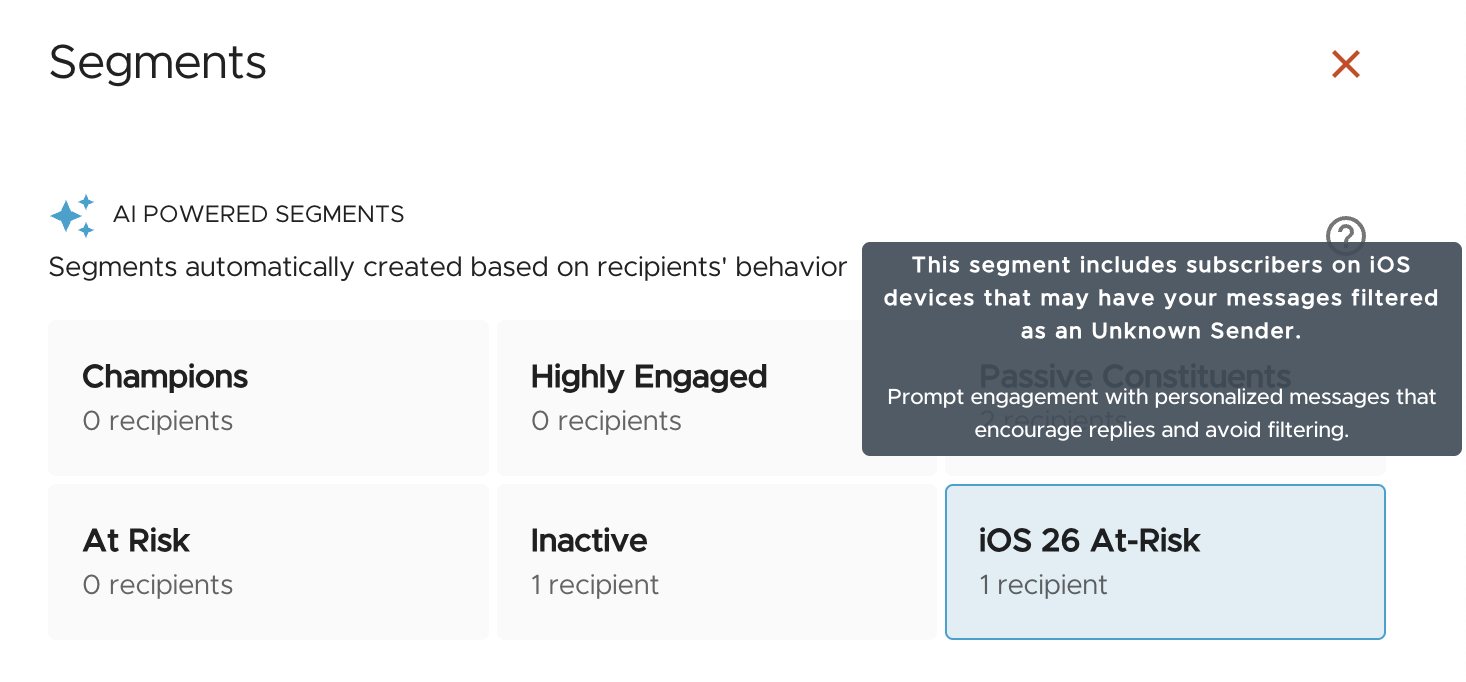
2) Stay Visible with the New “iOS 26 At-Risk” Power Segment
Apple’s iOS 26 update coming this fall introduces stricter filtering that could push messages into the “Unknown Senders” tab—reducing visibility and response rates. Our newest AI-powered Power Segment helps customers stay ahead of that risk.
The iOS 26 At-Risk segment automatically includes subscribers who:
- Are on iOS or whose device type is unknown
- Show low recent engagement (e.g. replies), increasing filtering risk
- May be subject to Apple’s new Unknown Sender filtering changes
By casting a wider net, this segment ensures users don’t miss iOS users who still want to hear from their organization. Between now and the release, we recommend customers target this group with messages encouraging reply interactions (e.g., “Can we count on your support again?”).
Keep messages visible and supporters engaged by leveraging Power Segments—even as device filtering rules evolve. Learn more in the help documents for Power Segments.
3) Unlocking expanded fundraising and segmentation capabilities in Tatango with Donation Attribution for EveryAction, NGP Van, and GoFundMe Pro (Classy)
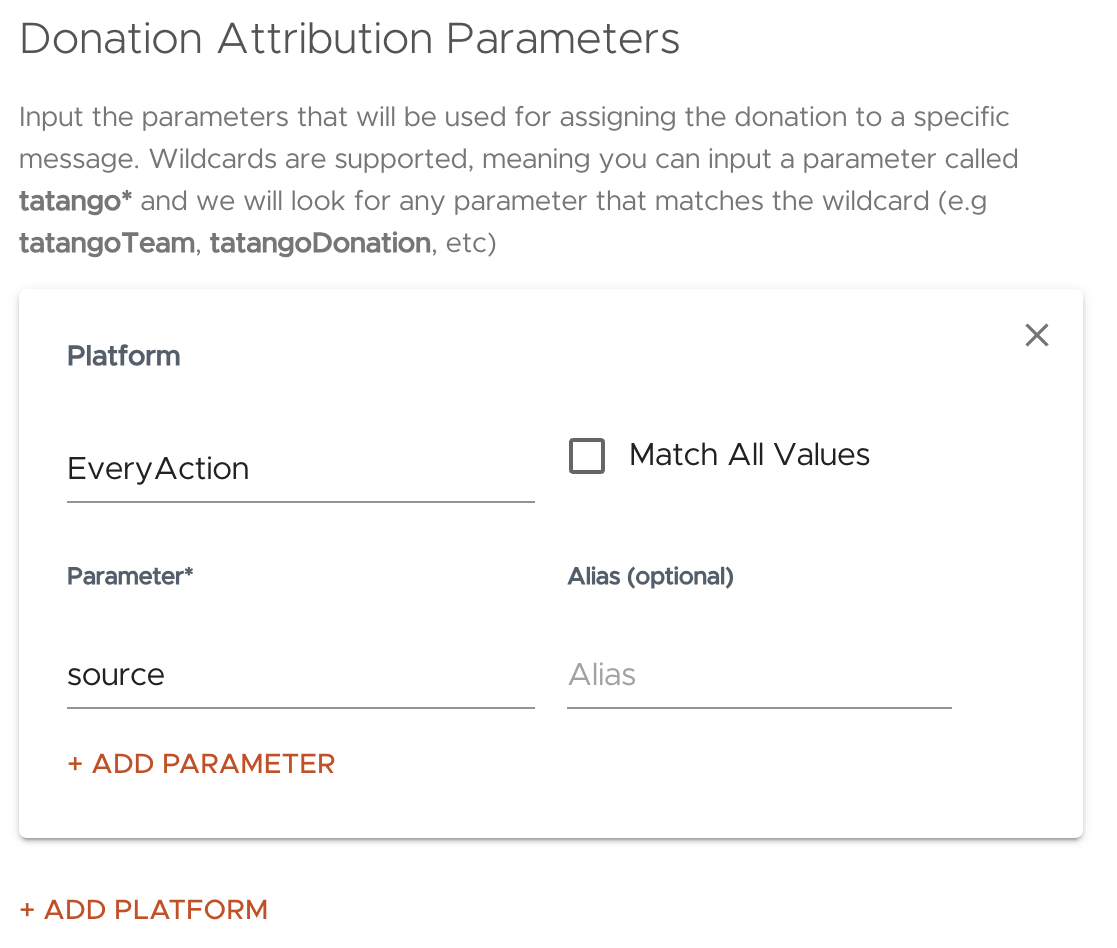
Tatango now ingests donation records from EveryAction, NGP VAN, and GoFundMe Pro. With that information, organizations on those platforms can now use our built-in donation-based segmentation conditions (e.g. “Donation Last Date within last 30 days” etc) to target audiences more effectively and gain deeper insights from our reporting.
See configuration details in our help documentation for how to set up Donation Attribution:
Other Updates
1) Post-Launch Inbox Enhancements
- Unread Replies In-Product Notification – See at a glance how many replies still need your attention with a new unread replies counter above “Inbox” in the navigation.
- Search by Name – Search for subscribers using their full or partial name in addition to phone number.
- Quick Unsubscribe/Resubscribe – Update subscribed/unsubscribed status directly from the Inbox.
- Mark all as Read/Unread – Users can now mark all replies as read or unread with a single click. The action only affects the replies currently filtered.
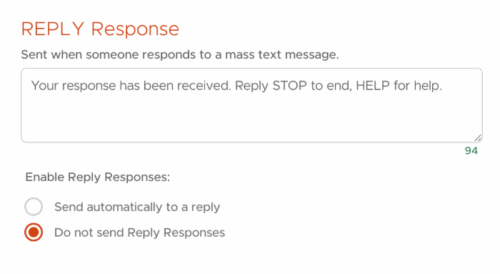
2) Reply Responses Can Now be Disabled
Reply Responses provide subscribers an automated response when you can’t actively manage all incoming replies. With the adoption of Inbox into your texting strategy it’s much easier to view and respond to supporter replies so disabling this feature gives you more control over your supporter engagement experience, helps reduce unnecessary or redundant replies in a conversation, and saves you on message cost.
By default, this feature is still ON, but you can now turn it off on a per-list basis by navigating to: List Settings → System Responses → Reply Response → “Do not send”.
3) Distinguish Test from Live Texts Sent to Your Device
You can now enable a new option to automatically append “Test” text to all test messages sent from Tatango (excluding fallback messages).
When enabled, test message content will begin with:
“Test [timestamp]” for example: “Test 07/14/2025 02:38PM CDT”
This feature brings clarity and peace of mind during testing, helping you recognize at a glance what’s real and what’s rehearsal.
4) Fundraise Up Integration Now Supports Custom Consent Checks
We’ve enhanced our Fundraise Up integration to respect customized marketing consent on donation pages. Now if a Fundraise Up user has custom consent enabled, the integration will automatically check that the donor explicitly selected “Yes” before adding/updating them in Tatango or capturing any donation data. If the donor doesn’t provide consent, we won’t sync them—helping you stay compliant and aligned with donor preferences.
To enable, navigate to: My Account → Settings → Integrations → My Apps. Click on the Edit icon next to their Fundraise Up integration. On the final screen, check the box labeled “Check for customized consent”. Learn more about custom consent in Fundraise Up. 
5) Power Segments Name Updates
We updated the names and descriptions of the Power Segments to ones which more clearly represent the constituents in those groups: Champions, Highly Engaged, Passive Constituents, At-Risk, and Inactive. The logic behind each segment didn’t change so no previously configured segmentation or strategies using the groups won’t be impacted.