Latest Release: February 2026
In January we focused on helping you get more impact from every message sent. These updates emphasize smarter targeting, stronger engagement, and better controls to improve ROI and your supporters’ experience.
Highlights
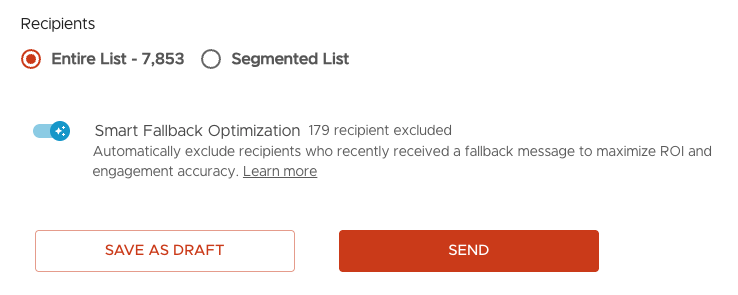
1) Boost ROI by Excluding MMS Fallbacks
Improve campaign performance by automatically removing subscribers who consistently receive MMS as SMS fallback (historically low-engagement recipients).
Smart Fallback Optimization filters out fallback recipients, adjusts your audience size, and helps you focus on supporters most likely to view and act on your messages.
Enable Smart Fallback Optimization to turn fallback insights into improved ROI.
2) Enrich Your Inbox Responses with MMS Replies
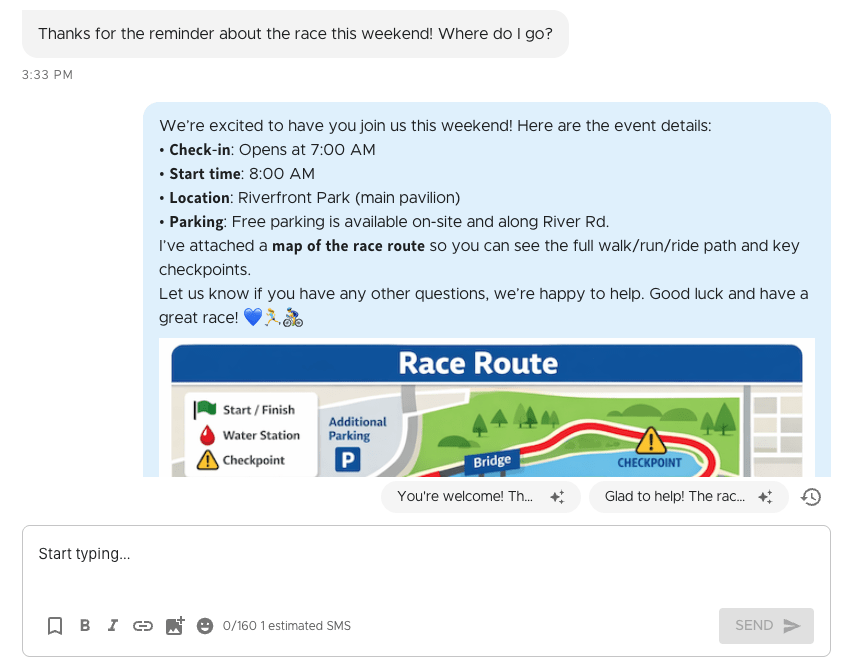
Send MMS texts directly from Inbox, expanding your responses beyond only SMS to include media, formatting, and longer messages.
Whether replying to an individual supporter or many at once, you can now augment your responses using:
- Bold or italic formatting for emphasis
- Emojis to better convey tone and excitement
- Media Library images, contact cards, or video clips for enriched guidance
Try sending MMS messages to supporters to add a bit of color to each interaction.
3) Target High-Intent Non-Donors
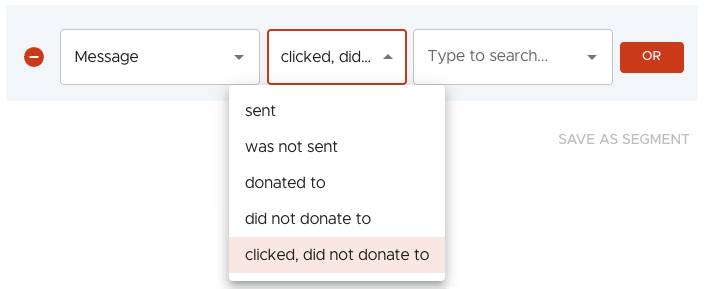
Our new “clicked, did not donate” segmentation operator lets you send abandoned-cart–style follow-ups to high-potential donors who clicked a message but didn’t convert, making it easier to follow up at the right time to boost overall funds raised.
Other Updates
1) New Automated Reply Response Option: Send Once Per Day
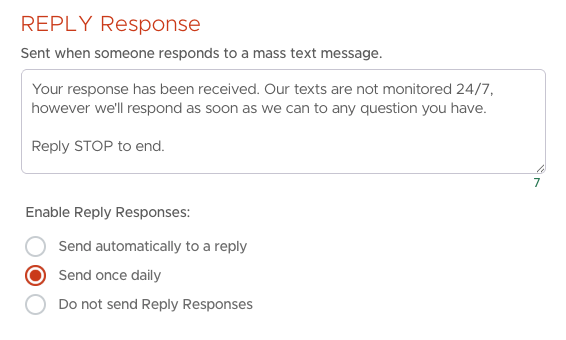
Adopters of promptly engaging supporters’ replies have voiced that they desire an automated Reply Response option between our current settings of always send a response or never send a response. Now you can choose to send Reply Responses just once every 24 hours, which both maintains the natural flow of discussions and saves credits for higher-value automated responses.
You’ll now find a new “Send once daily” option under List → Settings → System Responses. When enabled, Tatango tracks when each subscriber last received an automated Reply Response and ensures they only receive it once per day.
By using this setting, organizations maintain natural conversation flows and while still automatically sending supporters helpful responses when staff members aren’t available.
2) Exclude by Opt-In Keyword
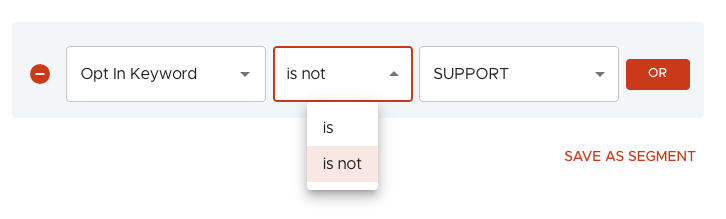
The new “is not” option makes it easy to exclude subscribers who opted in through specific keywords, providing more flexibility in targeting segments to enable new strategies.
3) Messaging Pages Performance Upgrade
We’ve rebuilt the Messaging page and its related tabs (Sent, Scheduled, Drafts). You should notice a performance improvement of page and list load times.