Latest Release: July 2025
Highlights
1) Effortlessly Target Your Most Engaged Supporters with Power Segments
Power Segments is a new AI-driven feature that scores your subscribers based on behaviors like clicks, replies, donations, and opt-outs and then automatically assigns them to segments you can use when targeting.
- Champions – Top-tier engagement with recent high-impact activity.
- Highly Engaged – Active, reliable supporters who consistently engage.
- Passive Constituents – Occasionally engaged contacts.
- At-Risk – Inactivity with recent sends or has taken distancing actions.
- Inactive – Dormant supporters with no recent activity.
- iOS 26 At Risk – This segment includes subscribers on iOS devices that may have your messages filters as an Unknown Sender.
Now you can include your most active supporters to boost campaign performance and suppress low-engagement groups to save message costs/credits with just a few clicks!
Since launch, we’ve seen multiple early adopters already get better results by including Power Segments.
Learn how you can apply it to your next send!

2) Compose Faster with AI-Powered URL Shortening
Shrink links in a snap with our new AI-powered Shorten URL tool designed to help you move faster and stay in your creative flow when composing messages. Just paste a URL into your message and a Shorten URL shortcut will appear so you can quickly customize your link parameters and shrink it!
Have a URL with parameters already? Shorten URL will automatically detect and configure them so you just need to review and set the ones you want dynamically updated with subscriber or message data.

3) Favorite Media Files for Faster Message Composition
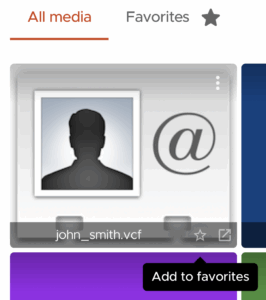
You can now favorite your most-used media files, like your organization’s contact card, making it faster and easier to find the right assets when composing messages. From within the Media Library, users can favorite/unfavorite assets by clicking the star icon on any image, video, vCard, or attachment. Once favorited, these files will appear in a new “Favorites” tab right alongside the standard “All Media” view.
Other Updates
1) Drag & drop media to compose messages
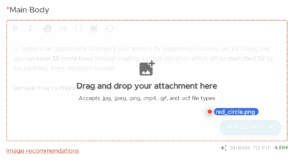
You can now drop files directly into the message composer when creating content to instantly attach them. No more navigating through the media library—just grab your file and drop it in.
Once loaded, you’ll see a new attachment placeholder appear along with new controls to change its position or delete it right from the composer. These small changes streamline your workflow and make it easier to create engaging messages without breaking your rhythm!
2) Quick-copy tools added to Performance Dashboard’s preview
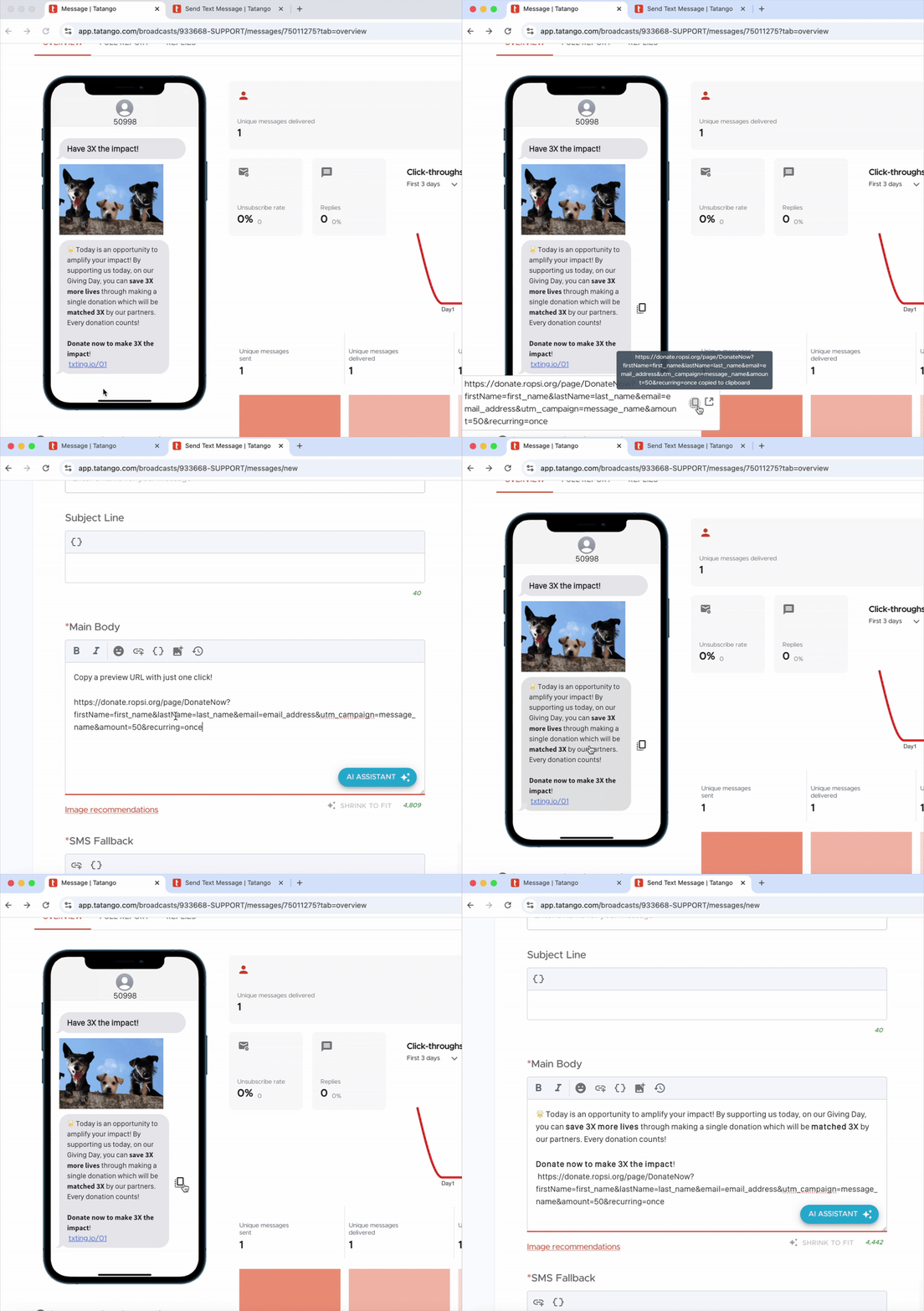
It’s now a little faster to reuse content from previously sent messages thanks to two new quick-copy options on the Performance Dashboard’s preview:
Quick-copy preview URL – You can now copy the message’s URL with a single click—no need to open in a new tab or highlight it manually.
Quick-copy full message content – With one click, you can now copy all the text and URLs from the preview (not including media). This eliminates the need to highlight and manually copy each message part and piece them together later.
These updates streamline frequent tasks—so while they may be minor changes, we think you’ll feel the difference.
3) Tatango Developer Documentation Redesigned
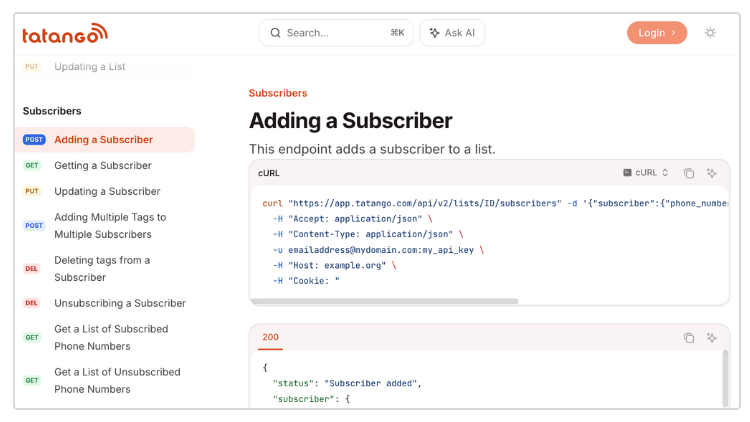
We’ve launched our brand-new developer documentation, now available at https://platform.tatango.com. With a modern, centralized hub, we’ve made reviewing our extensibility and building with Tatango faster and easier than ever.
Designed for speed, clarity, and flexibility, your coders can easily automate management of lists and subscribers using our streamlined, RESTful endpoints, and do testing right from the new site.
4) Data Hub Report Updates
- Affinity Score and Power Segment labels added to Subscribers and Subscriber Snapshot Reports
- Users can specify custom start dates when initiating external reports