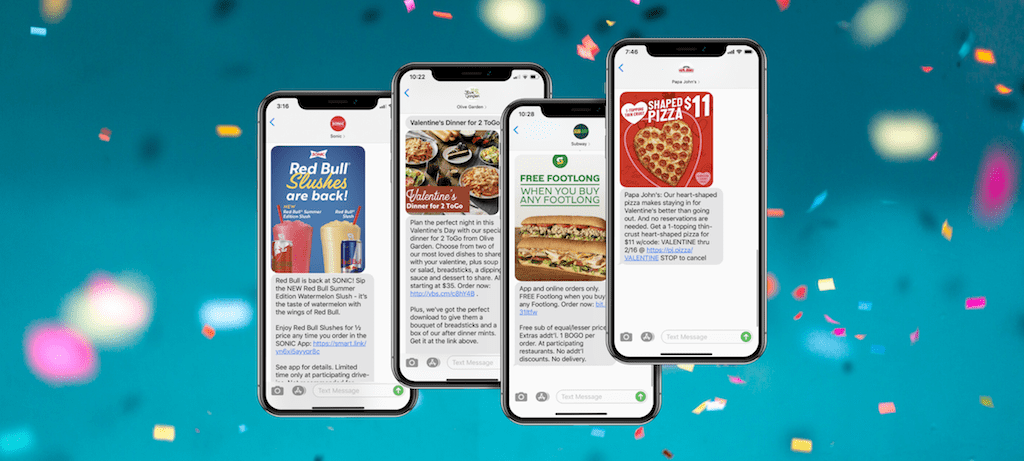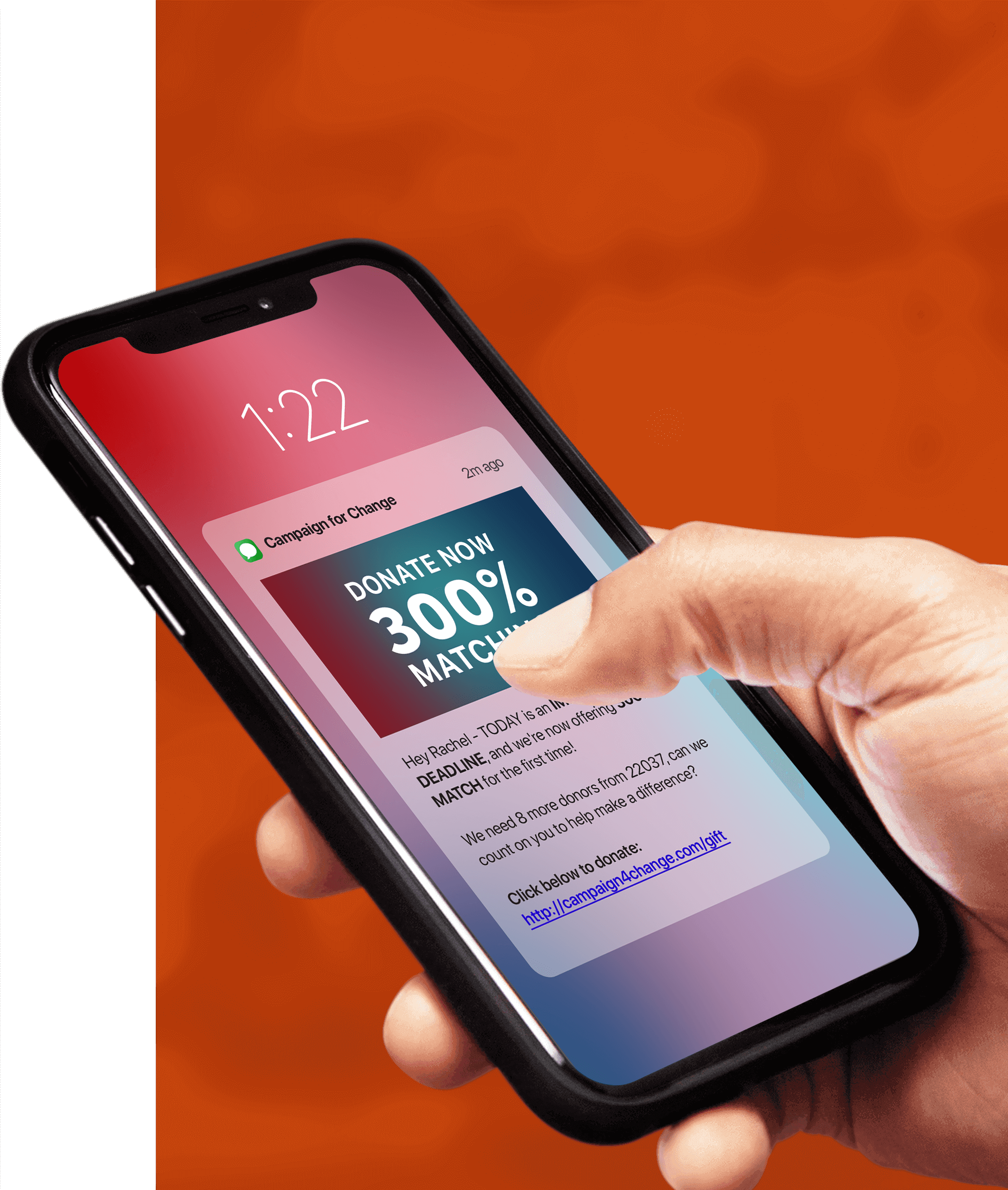
With the continued increase of usage of QR codes in the United States, we’ve been getting a lot of questions about how to incorporate QR codes into an SMS marketing campaign. Below should provide you and your business all you need to not only learn about QR codes, but how to integrate them into your SMS marketing campaign.
What Is a QR Code?
A QR code (Quick Response code) is a type of barcode first designed by Toyota in 1994 to track vehicles during the manufacturing process. More recently, these barcodes have become popular for mobile marketing purposes, primarily directing consumers to a specific URL when scanned. Did you know though that you can trigger an SMS message by scanning a QR code? More on this below.
QR Code Example #1
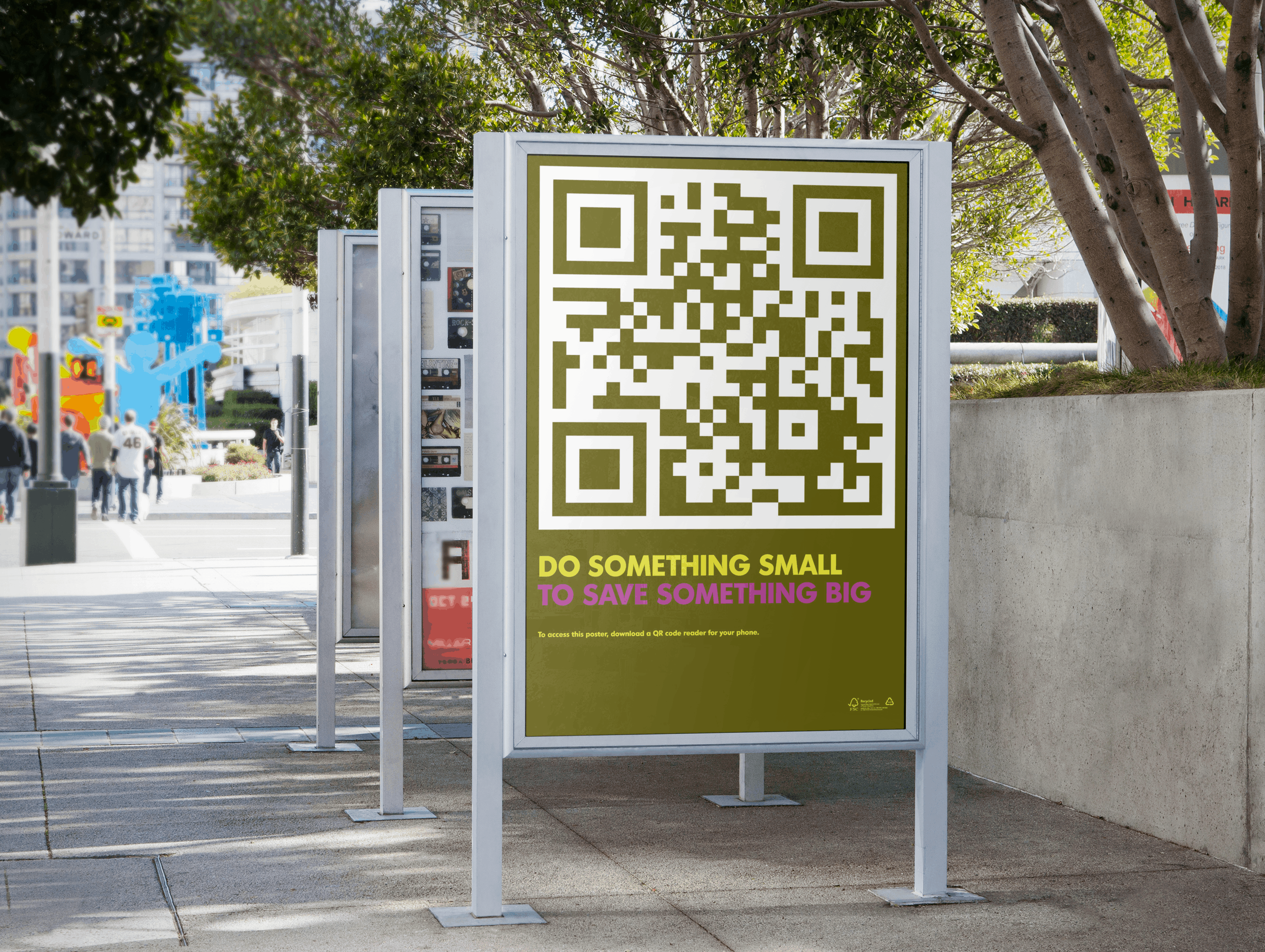
QR Code Example #2

QR Code Example #3

QR Code Example #4

QR Code Scanners
When QR codes first became a thing in the United States, a person would have to download a QR code scanner to their mobile phones, to be able to scan a QR code. This obviously was a huge reason why QR codes never really took off. Things are different nowadays, as most mobile phones have the QR code scanner built right into the camera application. Just point your camera at any QR code, and it will automatically scan it.
What Is SMS Marketing?
Most brands, when they talk about SMS marketing, they mean the practice of sending mass SMS marketing messages to consumers. Usually, these SMS messages will have some sort of revenue generating call-to-action, like a coupon, promotion or discount to redeem. SMS marketing is very similar to email marketing, only instead of emails, a brand will send out text messages to consumers.
How SMS QR Codes Works
The #1 challenge for any SMS marketer is to grow their SMS list. SMS QR codes are a tool that SMS marketers can use to make it easier for consumers to join your SMS list. How does it work?
The first step is to create the SMS QR code.
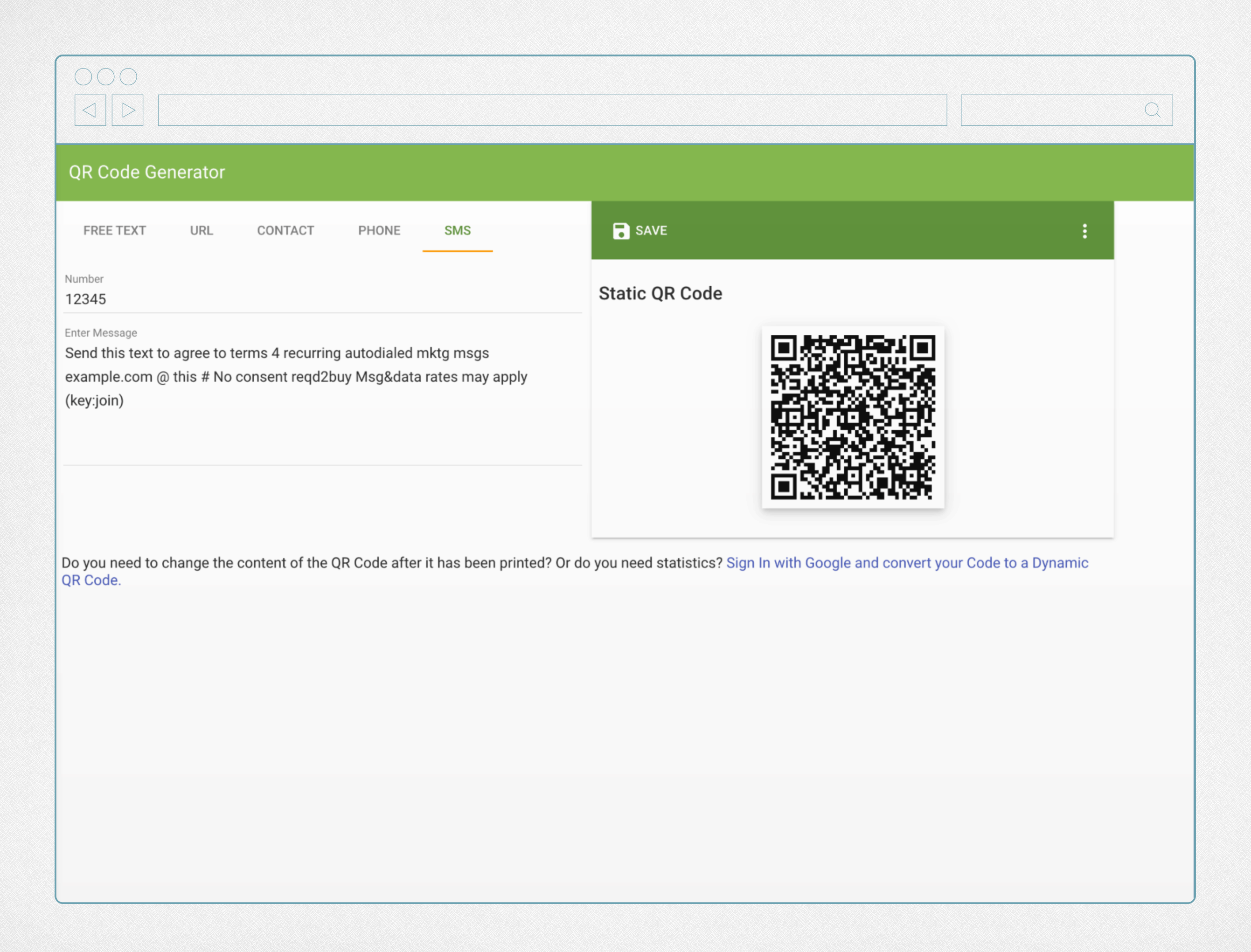
Step 1 – Create SMS QR Code
There are many QR code generators out there, for this example we used www.the-qrcode-generator.com. As you can see below, you’ll want to create the SMS QR code to trigger an SMS message to your short code, with opt-in instructions.
Step 2 – Advertise SMS QR Code
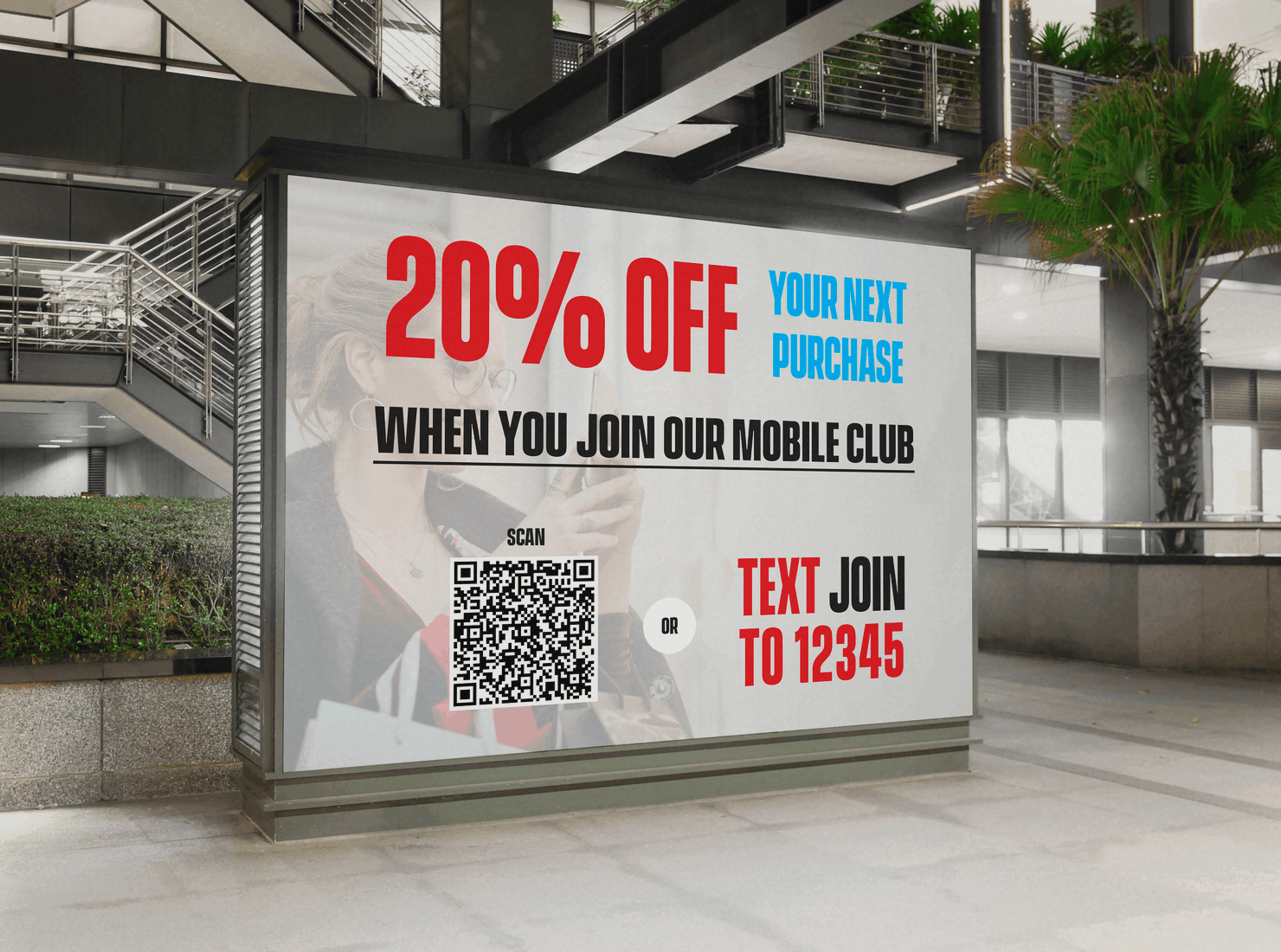
We mocked up the following advertisement with an SMS QR code. It’s important to note that when using a SMS QR code, make sure you give consumers an alternative method to join your SMS marketing campaign. In the example below, we used “Text JOIN to 12345”.
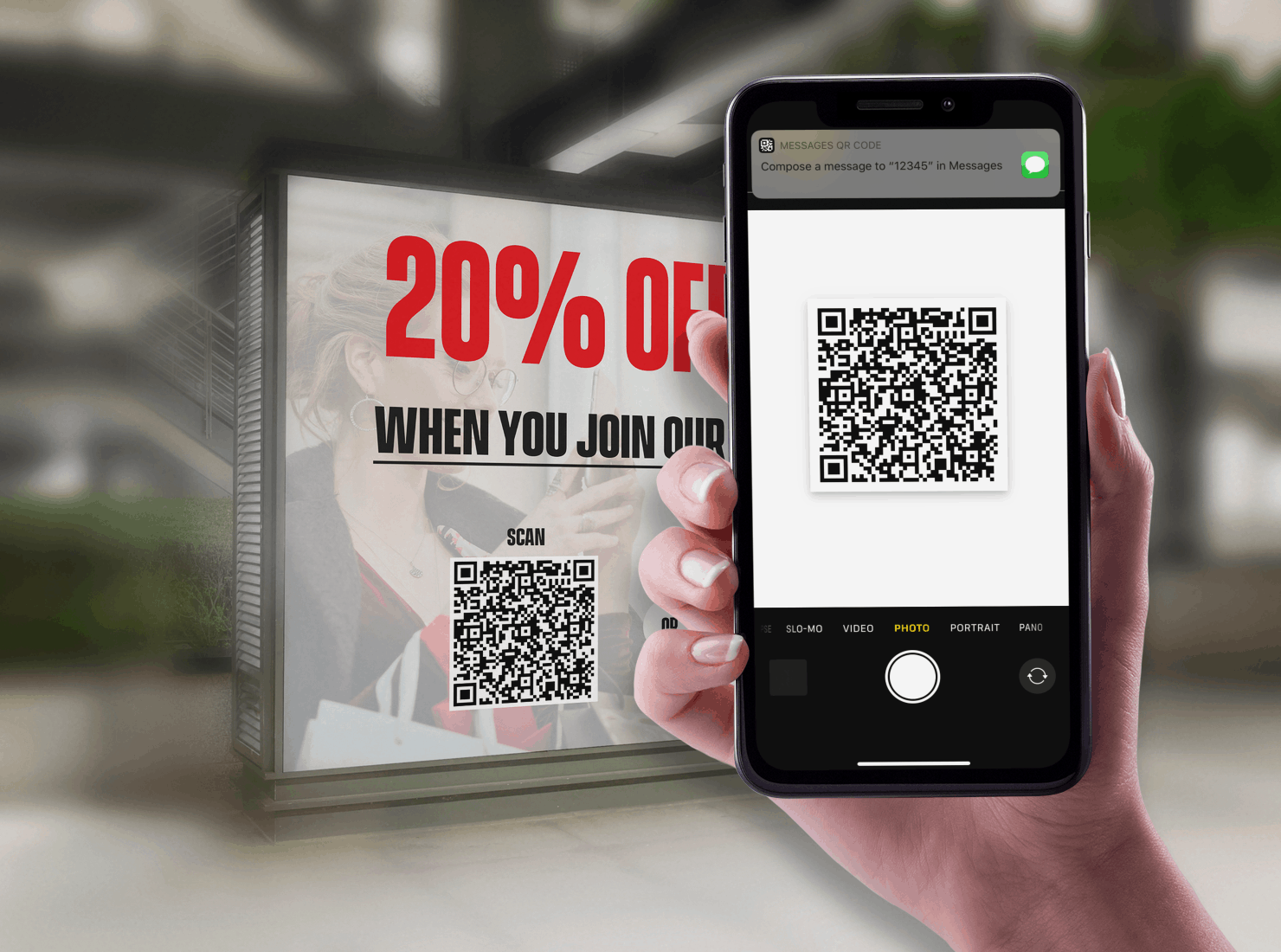
Step 3 – Scan QR Code
The next step is why SMS QR codes are so great, as it’s so simple. All the consumer needs to do is point their camera at the QR code, and they’ll receive a message similar to what you see below.
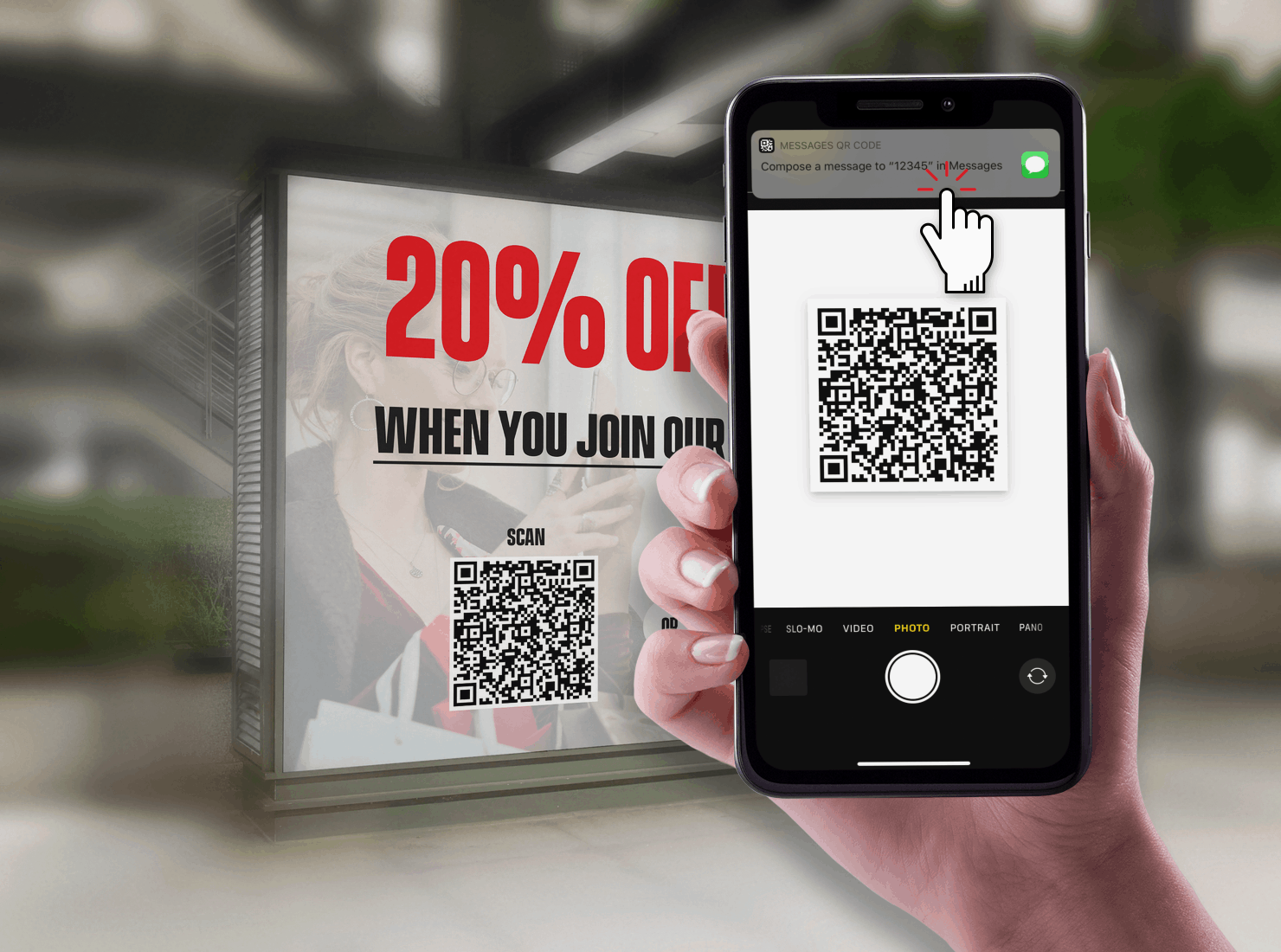
Step 4 – Click Messaging Prompt
Then the consumer will click the message prompt, opening up their default messaging app on their mobile phone.
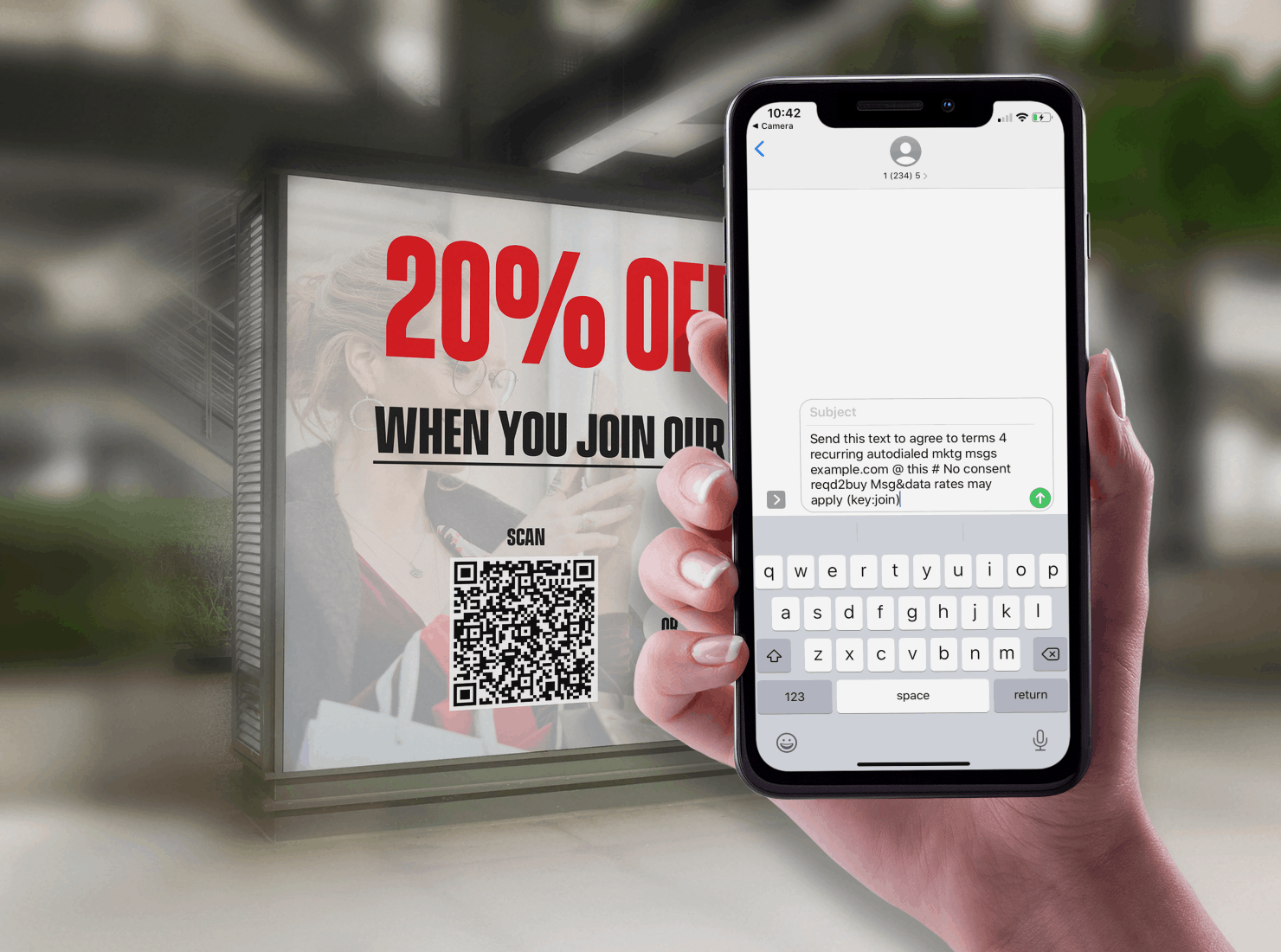
Step 5 – Pre-Populated Opt-In Message
After you clicked on the messaging prompt, you’ll be taken to your default messaging app, with both your SMS short code, and opt-in message pre-populated on the phone.
Step 6 – Send in Opt-In Message
All the consumer has to do is click “Send” and send this message into the already pre-populated SMS short code.
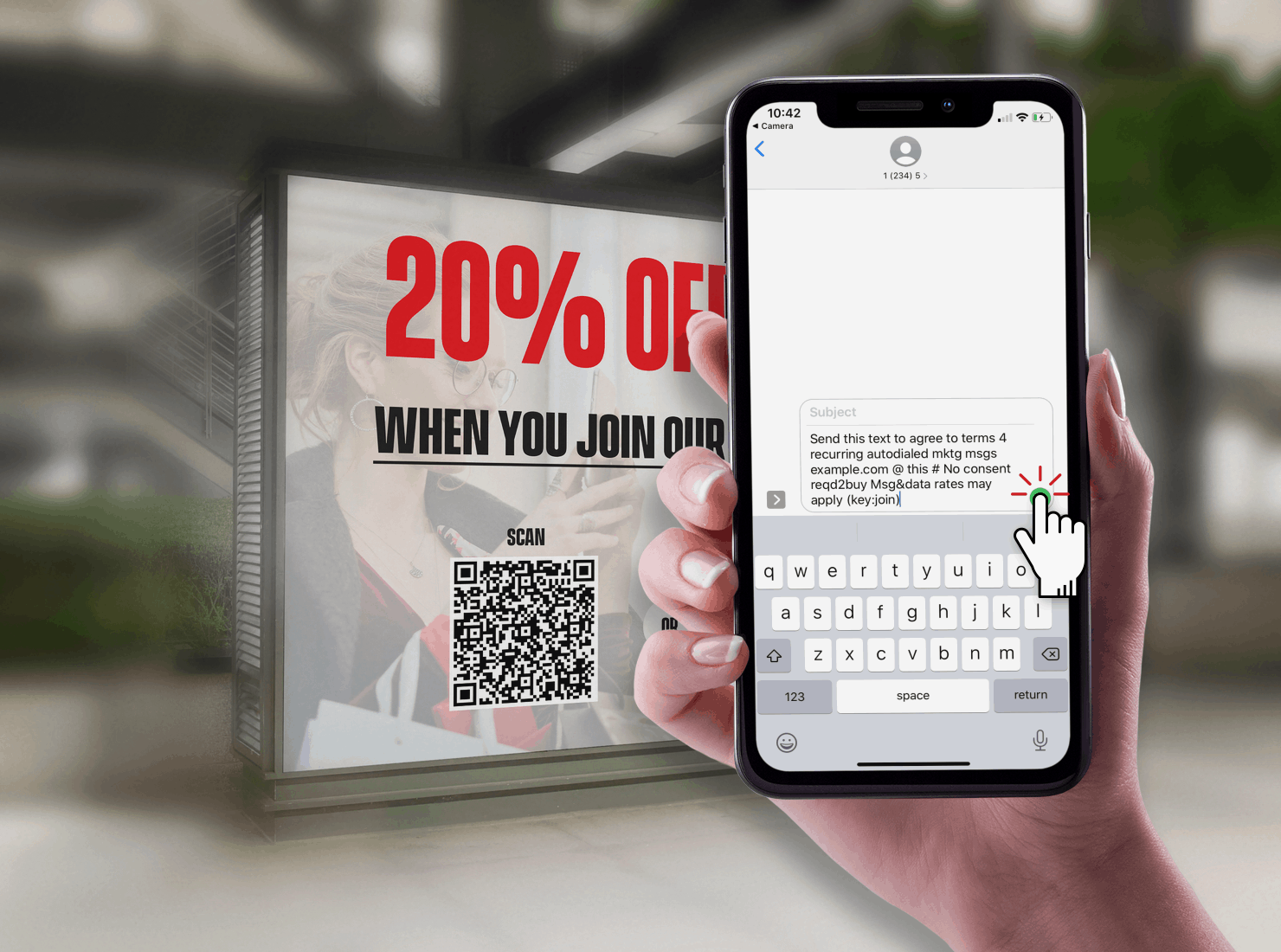
Step 7 – Create SMS QR Code
That’s it… Now the customer is subscribed to your SMS list. Pretty simple huh!!!???
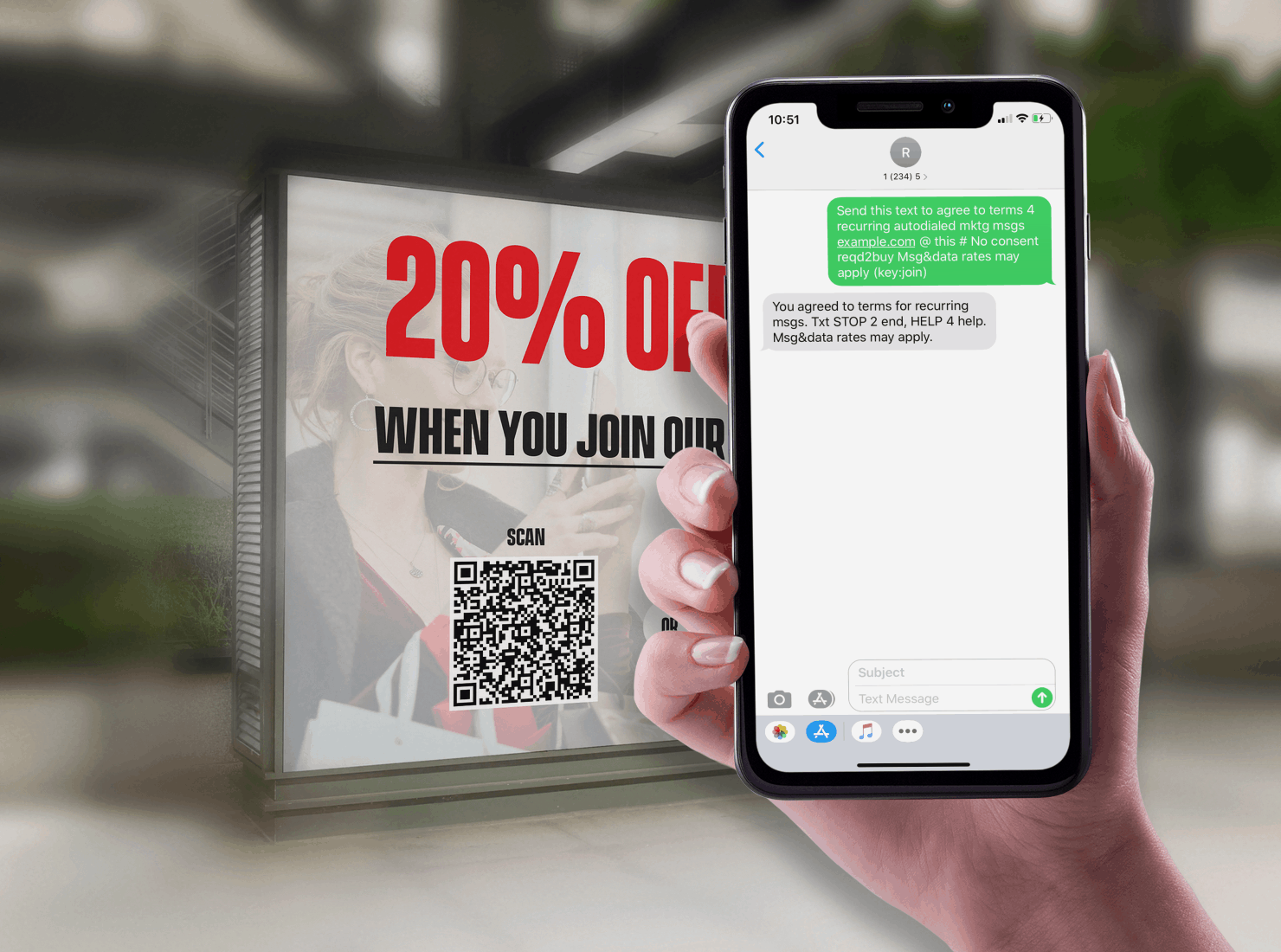
Step 8 – Scheduled After Opt-In Message
Oh yea… Don’t forget to send any opt-in incentives that you promised in the ad to join your SMS marketing campaign.
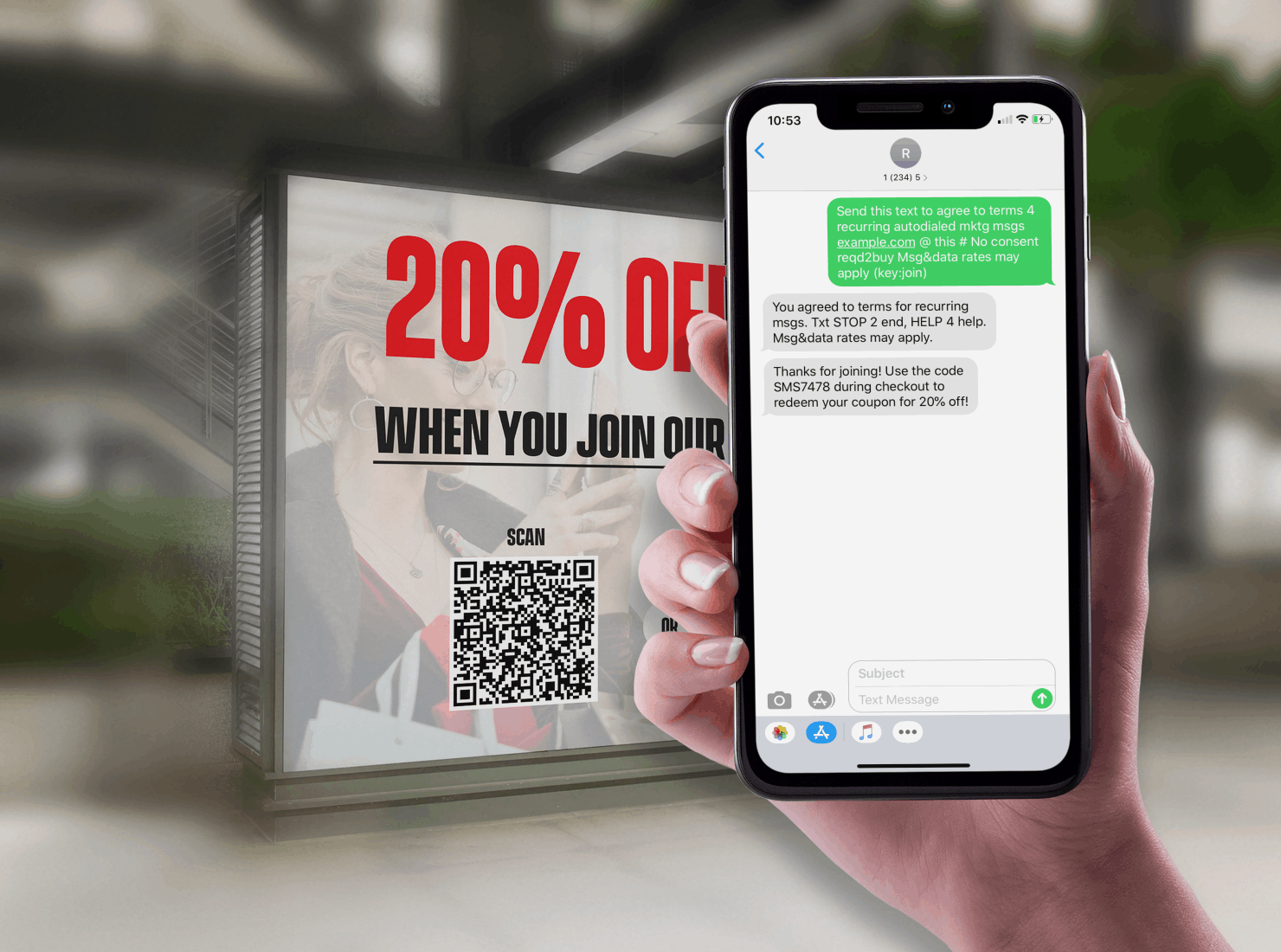
Conclusion
While SMS QR codes may not be for everyone, it’s worth testing for your own SMS marketing campaign. If you’re interested in hearing more about our thoughts on QR codes and SMS marketing, check out the blog post: Vanity Short Codes Soon To Be Irrelevant In SMS Marketing